Tactics Board Football Beta Opens November 5: Everything You Get With Early Access
4 Nov 2026 • 7 mins read
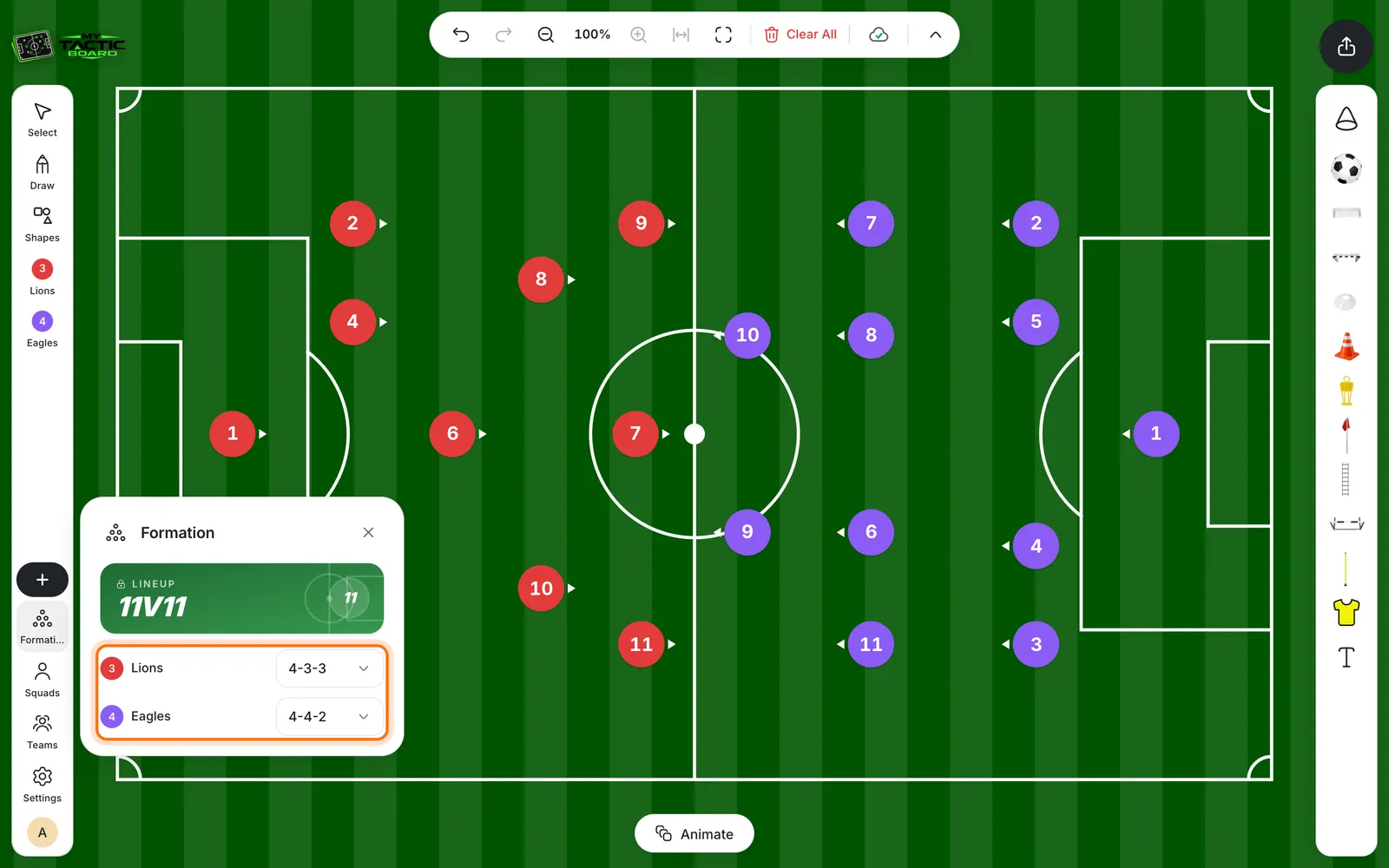
Tactics Board Football beta access opens on Thursday, November 5. If you're on our waitlist, you'll get an email with your access and a link to the app, and you can start planning tactics on a digital pitch straight away. The beta is free, and you get full access to the app.
This post covers what the app does, how to get in, how long beta access lasts and what happens after it. If you just want to join, sign up to the waitlist at mytacticboard.com.
Beta at a glance
Opens. Thursday, November 5.
Cost. Free during the beta.
Who gets in. Everyone on the waitlist.
How you get access. We email you your access and a link to the app.
How long. A limited time. After that, you can get a paid plan or keep using the free plan with limited features.
Learning. The Academy is open to everyone.
Feedback. Use Help & Support in the app.
What is Tactics Board Football?
Tactics Board Football is a web app that gives coaches a digital pitch for planning and explaining tactics. You add your players, set a formation, draw how the ball and the players move, animate the idea and share it with your team. It's built with grassroots and youth coaches in mind, and it works as a football tactics board online, with nothing to install.
How to get beta access
- Join the waitlist at mytacticboard.com.
- Check your email. We'll send you your access and a link to the app.
- Create your account.
- Open the Academy and follow the lessons, then start your first tactic.
Join the waitlist now so your access email reaches you as soon as the beta opens.
Your dashboard
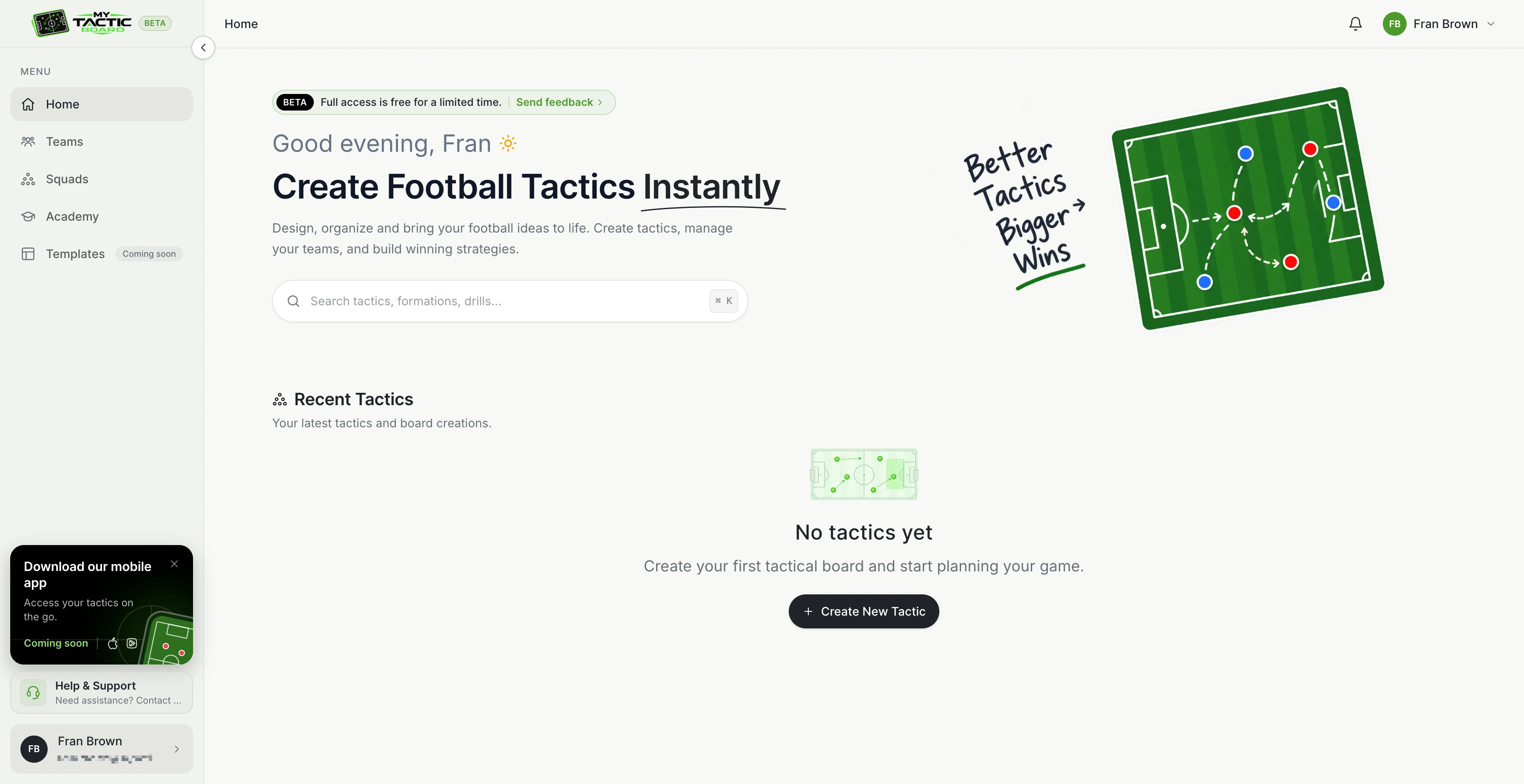
When you log in, you land on the dashboard. Home shows your recent tactics and takes you into the main board. The sidebar gets you to Teams (team slots, colors and linked squads), Squads, the Academy, Templates and Help & Support. In your profile settings you can change your language and theme, and the notification icon keeps you up to date with important updates.
Teams and squads
Squads hold your players. You can build and customize your squads, with support for up to 20 teams at a time. Teams is where you pick the two teams playing in the match, so you can set up a matchup in a few clicks.
Players and formations
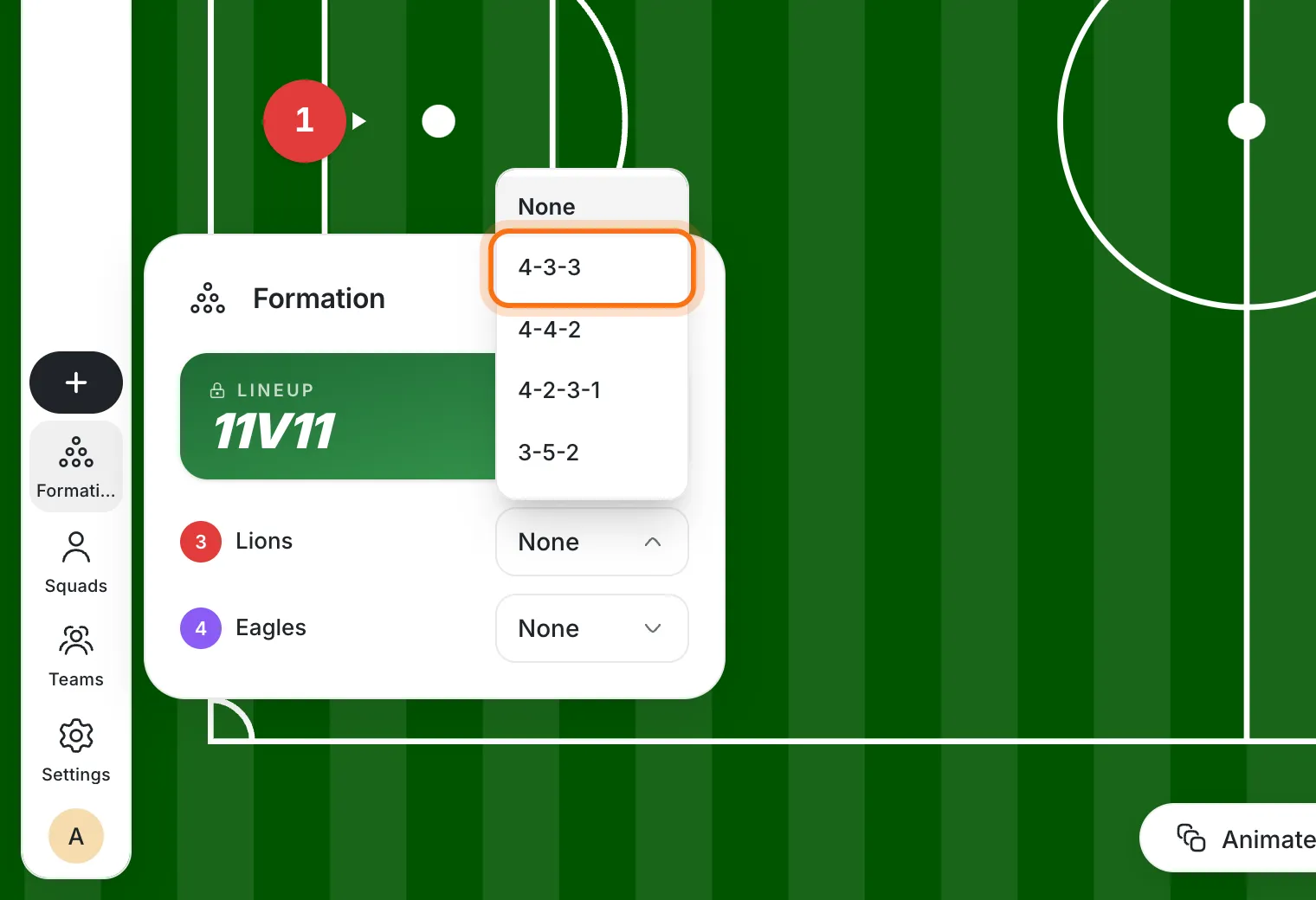
Drag players onto the pitch one by one, or let the Formation button do it for you. Pick a shape such as 4-3-3, 3-4-3 or 4-4-2 and the team lines up straight away. It works like a football formation maker, and each team can have its own shape. After that, drag anyone to fine-tune the position.
Not sure which shape suits your squad? Our guide to soccer formations explained is a good place to start. Our tutorials show the steps for adding players to the board and using the formation maker.
Draw runs, passes and zones
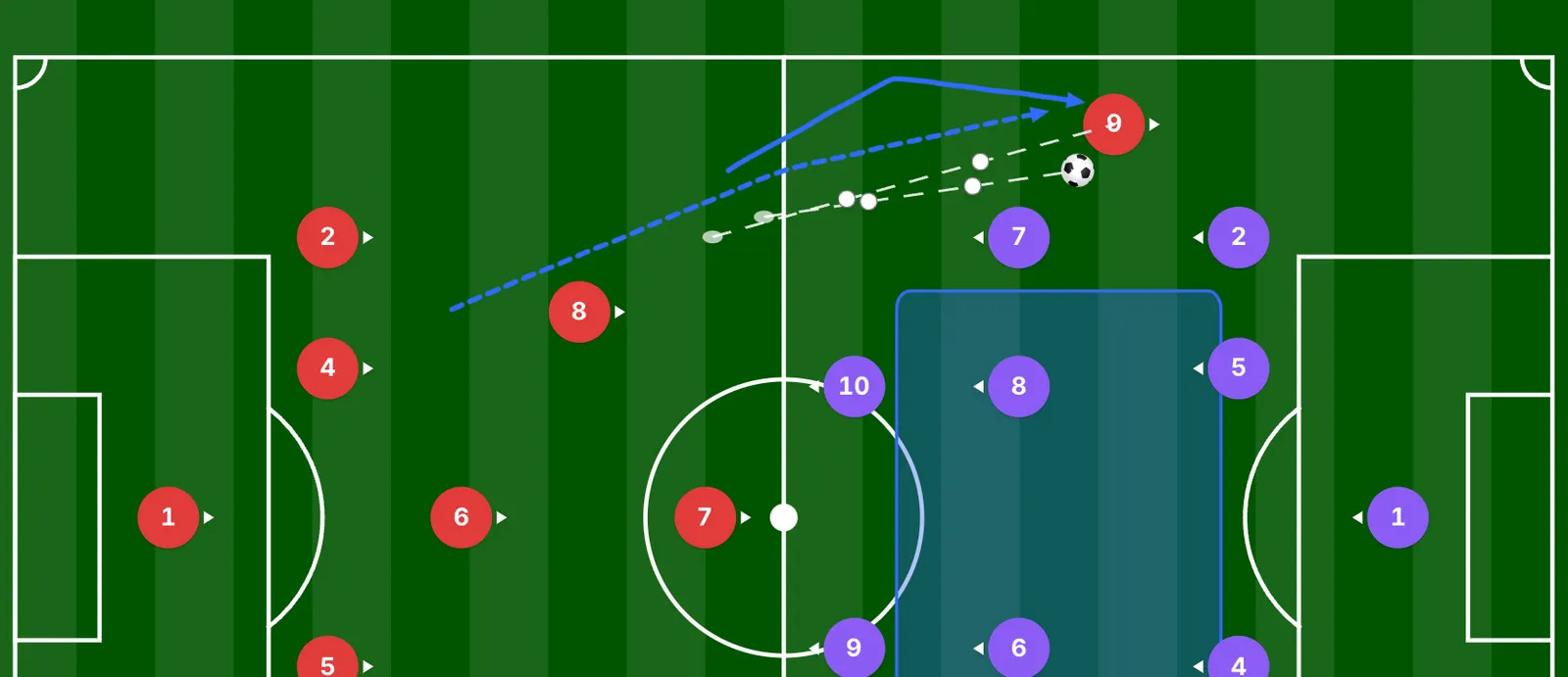
The Draw tool lets you add tactical lines, arrows and movement paths. Pick a style for each job: solid for runs, dashed for passes and jagged for dribbles. The Shapes tool adds triangles, rectangles, squares and circles to mark zones and areas of the pitch. The Select tool lets you move, resize and manage anything on the board.
Equipment and text
The board comes with the kit for a whole training session, not only a match: a football, a match goal and a practice goal, discs and cones, a training dummy, a corner flag, an agility ladder, hurdles, training poles, shirts and text labels.
Planning a session and need ideas for what to set up? Have a look at our 10 soccer drills for grassroots coaches.
Make the board look like your team
Open Settings to change how everything looks.
Pitch appearance. Pitch lines, pitch view, grass colors and grass patterns.
Player settings. Player direction, photos, label mode, player roles, player size, label size, and the option to show or hide player names.
Customize player. Team selection, player colors, kit patterns (solid, rows or lines), player size, label size, shadow and a reset kit option.
Animate your tactic
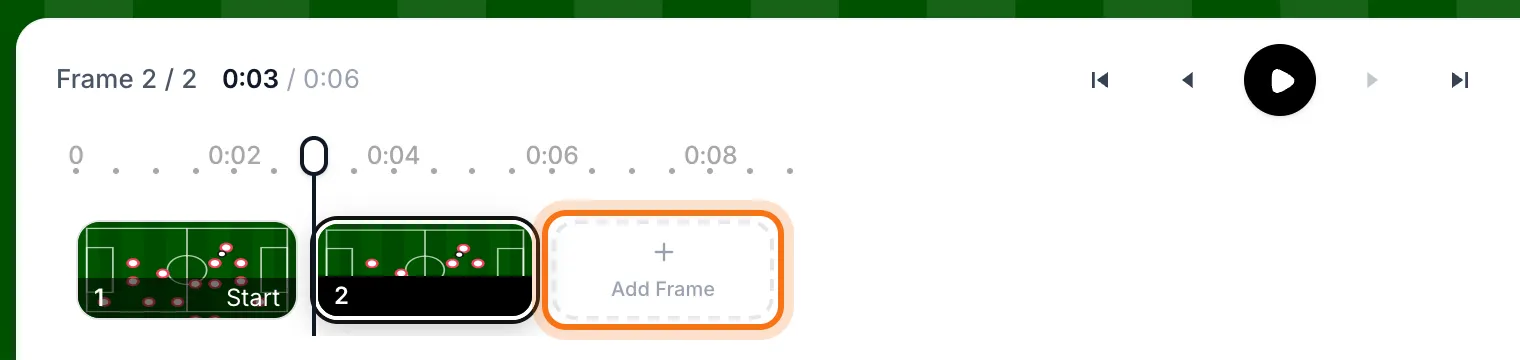
Turn a static board into a moving play. You can use up to 20 animation frames. Set up each frame, then press play and watch the move unfold.
The animation controls include play, skip to the first or last frame, next and previous frame, delete frame, zoom controls and a full-screen pitch. You can change the playback speed to 0.5x, 1.0x, 1.5x or 2.5x, and exit animation mode whenever you're done.
A toolbar for speed
The toolbar covers the basics you'll use all the time: undo, redo, zoom in, zoom out, reset zoom, full screen and clear all.
Learn the app in the Academy
The Academy has step-by-step tutorials for every part of the app: 8 modules and 24 lessons, about 45 minutes in total. It's open to everyone, so you can start learning before your beta access arrives. Open the Academy to see the lessons.
What happens when the beta ends
Beta access is for a limited time. When it expires, you can get a paid plan, or carry on with the free plan, which has limited features.
What's coming soon
Templates. Reusable tactical templates, so you don't have to start from an empty pitch every time.
Mobile app. It's on the way, and the dashboard already shows it as coming soon.
How to send feedback
Use Help & Support to create a support ticket. You can ask a question, report a problem or share your feedback, and you'll find it in the sidebar. A few details about what you were doing, and a screenshot, help us fix things faster.
Frequently asked questions
Get early access
Beta access opens on Thursday, November 5, and it's free. Join the waitlist at mytacticboard.com and be one of the first coaches to try it.